Migration help, setup assistance, staff training, and ongoing support — so you can focus on your program, not the software.
We work at the pace that fits your program, with as much or as little of the setup handled on our side as you'd like.
A call to understand your program, timeline, and priorities, so we can plan the rollout together.
Help with data migration and configuration — rooms, ratios, billing rules, and parent communications, adapted to how your program runs.
Hands-on training for your staff and a parent rollout, with continued support after launch.
Whether you're coming from another platform, spreadsheets, or paper records, we'll work with you on the transition.
Reach out by chat, email, or phone — and get a clear, useful answer. No chatbots, no canned replies, no menus to navigate.
If there's something MyKidReports doesn't do yet — a workflow, a report, a module — tell us. We'll try to add it. A lot of what's in the product today started as a customer ask.
Updates roll out automatically to your account. No installs, no upgrade fees — every center gets every new feature as soon as it ships.
Our help center is already live at help.mykidreports.com — searchable guides and short tutorial videos for every part of MyKidReports, organized by topic and by role.
Our YouTube channel has a short, no-fluff tutorial for every part of MyKidReports. Bookmark it. Send it to a teacher. Watch it at 2× speed.
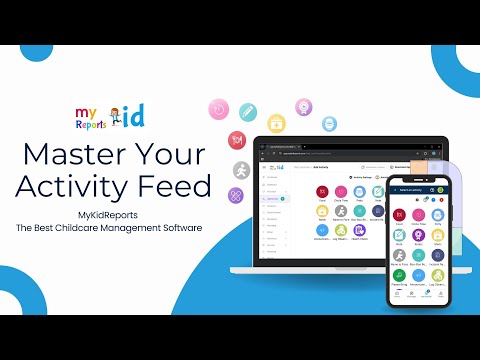
Activity
Tag students, attach photos, choose who sees it, and post in a few taps.
Watch on YouTube
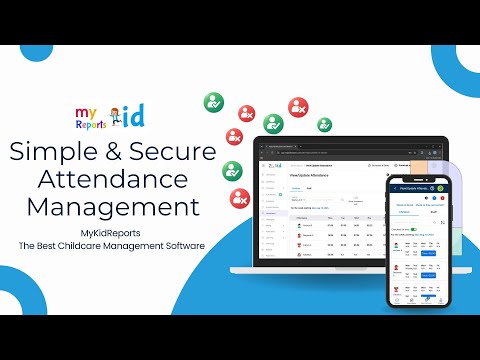
Attendance
Check kids in and out, capture signatures, and pull reports any time.
Watch on YouTube
Admission
From inquiry form to enrolled child — without re-keying anything along the way.
Watch on YouTube
Paperwork
Send, sign, and track every required form in one place — no chasing PDFs.
Watch on YouTube
Food program
Build CACFP-aligned weekly menus, duplicate across weeks, and share with families.
Watch on YouTube
Billing
Recurring invoices, sibling discounts, refunds — all at center scale, without spreadsheets.
Watch on YouTubeMany more tutorials are available on our YouTube channel. Browse the full library, or subscribe to get new ones as they're published.
Visit our YouTube channel →If we missed yours, ping us in chat — you'll get a thoughtful reply from someone who actually uses the product.
Skip the form. Pick up the phone or send an email — both go straight to our team.
Schedule a call. No slides, no pressure. We'll talk through your program and what a switch could look like — no commitment required.