
Onboarding without the chaos. Support without the wait.
Personalized onboarding for daycares and preschools — data migration, staff training, family rollout. Then 5-star support after go-live, by chat, email, or phone. No setup fee.
Three steps to go-live.
We work at the pace that fits your program, with as much or as little of the setup handled on our side as you'd like.
Kickoff
A call to understand your program, timeline, and priorities, so we can plan the rollout together.
Migration & setup
Help with data migration and configuration — rooms, ratios, billing rules, and parent communications, adapted to how your program runs.
Training & support
Hands-on training for your staff and a parent rollout, with continued support after launch.
Setup is on us.
Whether you're coming from another platform, spreadsheets, or paper records, we'll work with you on the transition.
- Dedicated guidance during the switch
- Data migration assistance
- Help configuring rooms, ratios, billing rules, and parent communications
- Templates available for forms, billing, and communications
Help that picks up.
Reach out by chat, email, or phone — and get a clear, useful answer. No canned replies, no menus to navigate.
- Direct support from the team behind MyKidReports
- Reach us by chat, email, or phone
- Help available for everyone in your program — directors, admins, teachers, and parents
- A help button built into every screen of the product
Missing a feature? Just ask.
If there's something MyKidReports doesn't do yet — a workflow, a report, a module — tell us. We'll try to add it. A lot of what's in the product today started as a customer ask.
- Send feature ideas by chat, email, or on a call
- We'll try to add what's missing — most-asked-for ideas first
- Open to extra modules and custom workflows for your program
- Feedback goes straight to product — no ticket queue, no detour
- QuickBooks two-way sync
- Combined-filter reports
- Duplicate weekly plans
- Multi-language parent app
- State subsidy report templates
- Custom field builder for forms
New features keep landing. Your bill doesn't move.
Updates roll out automatically to your account. No installs, no upgrade fees — every center gets every new feature as soon as it ships.
- Free upgrades with new features and improvements
- Many updates start as customer requests, including yours
- No downtime, no installs — just log in to see what's new
- Every feature, included on every plan
The library that's already open.
Our help center is already live at help.mykidreports.com — searchable guides and short tutorial videos for every part of MyKidReports, organized by topic and by role.
- A dedicated section for every part of the product — billing, attendance, reports, communications, and more
- Search by what you're trying to do — find the right guide quickly
- Updated with every product release
- Written for every role — directors, admins, teachers, and parents
Every feature, walked through on YouTube.
Our YouTube channel has a short, no-fluff tutorial for every part of MyKidReports. Bookmark it. Send it to a teacher. Watch it at 2× speed.
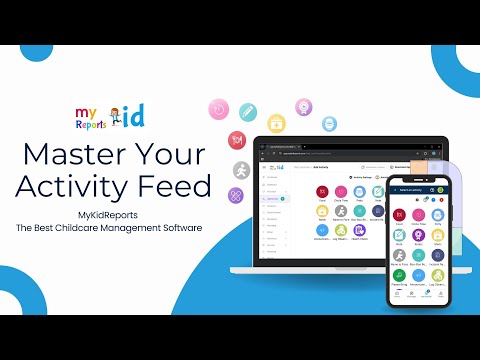 Activity
Posting a class activity
Tag students, attach photos, choose who sees it, and post in a few taps.
Watch on YouTube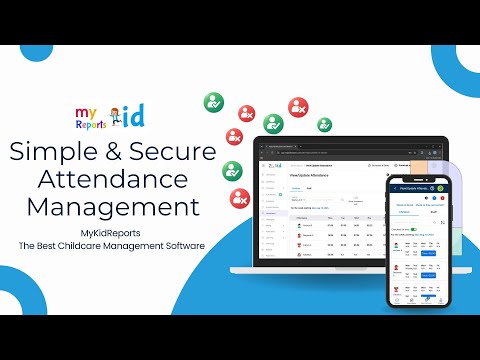 Attendance
Tracking daily attendance
Check kids in and out, capture signatures, and pull reports any time.
Watch on YouTube Admission
Handling admissions & enrollment
From inquiry form to enrolled child — without re-keying anything along the way.
Watch on YouTube Paperwork
Digital paperwork & forms
Send, sign, and track every required form in one place — no chasing PDFs.
Watch on YouTube Food program
Planning the food program
Build CACFP-aligned weekly menus, duplicate across weeks, and share with families.
Watch on YouTube Billing
Setting up billing
Recurring invoices, sibling discounts, refunds — all at center scale, without spreadsheets.
Watch on YouTubeMany more tutorials are available on our YouTube channel. Browse the full library, or subscribe to get new ones as they're published.
Visit our YouTube channel →Questions every director asks at hello.
If we missed yours, ping us in chat — you'll get a thoughtful reply from someone who actually uses the product.
Does MyKidReports offer personalized onboarding?
What is the best childcare software with the highest rated customer support?
What is the best childcare center management software for family onboarding?
Does MyKidReports charge a setup fee?
How do I switch from Lillio (HiMama), Brightwheel, Procare, or Playground?
How long does onboarding take?
Do I have to migrate my own data?
Who do I actually talk to when I need help?
How does your support work?
Will my staff need training?
Do you charge for new features?
Where can I find tutorial videos?
What if I have a problem after onboarding?
Or just drop us a line.
Skip the form. Send us a note — it goes straight to our team.
Switching shouldn't feel scary.
Schedule a call. No slides, no pressure. We'll talk through your program and what a switch could look like — no commitment required.
New here? The fastest way to see what support covers is the product itself — our childcare software handles enrollment, billing, attendance and parent messaging in one place, with free migration when you switch.